







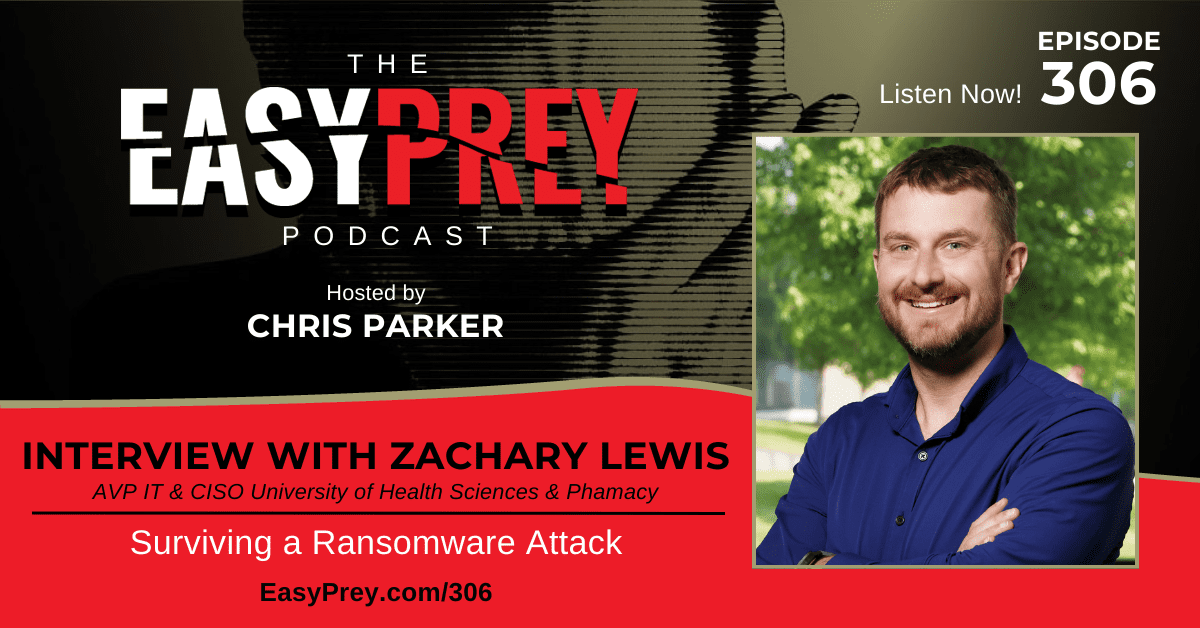

A ransomware attack doesn’t always announce itself with flashing warnings and locked screens. Sometimes it starts with a quiet system outage, a few unavailable servers, and a sinking realization days later that the threat actors were already inside. This conversation pulls back the curtain on what really happens when an organization believes it’s dealing with routine failures only to discover it’s facing a full-scale cyber extortion event.
My guest today is Zachary Lewis, CIO and CISO for a Midwest university, a 40 Under 40 Business Leader, and a former Nonprofit CISO of the Year. Zachary shares the inside story of a LockBit ransomware attack that unfolded while his team was still building foundational security controls, forcing real-time decisions about recovery, disclosure, negotiations, and whether paying a ransom was even an option.
We talk about the shame that keeps many cyber incidents hidden, the emotional weight leaders carry during these moments, and the practical realities that don’t show up in tabletop exercises from buying bitcoin to restoring systems when password managers are encrypted. It’s an honest, grounded discussion about resilience, preparedness, and why sharing these stories openly may be one of the most important defenses organizations have.
“When you’re in the middle of an incident, there’s no pause button. You’re making decisions with imperfect information and a clock that never stops.” - Zachary Lewis Share on XShow Notes:
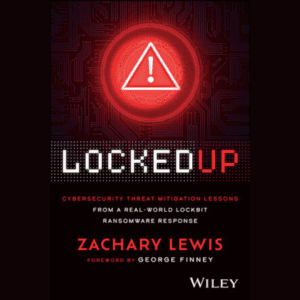
- [04:05] Zachary Lewis explains why the absence of an immediate ransom note delayed suspicion of an attack.
- [06:00] The first technical indicators suggest something more serious is unfolding.
- [07:45] Discovering encrypted hypervisors and realizing recovery won’t be straightforward.
- [09:30] Zachary outlines when data exfiltration became a real concern.
- [11:05] Receiving the LockBit ransomware note confirms the organization has been compromised.
- [12:55] The 4:30 a.m. phone call pushes leadership into full crisis mode.
- [14:40] Zachary reflects on managing fear, responsibility, and decision fatigue mid-incident.
- [16:20] Executive expectations collide with technical realities during the breach.
- [18:05] Why “doing most things right” still doesn’t guarantee protection.
- [19:55] Cyber insurance begins shaping early response decisions.
- [21:35] Bringing in incident response teams and legal counsel under tight timelines.
- [23:20] Zachary describes working with the FBI and understanding jurisdictional limits.
- [25:10] What law enforcement can and cannot realistically provide during ransomware events.
- [26:50] Opening communication channels with the threat actors.
- [28:35] The psychological pressure behind ransomware negotiations.
- [30:10] Attacker-imposed timelines force rapid, high-stakes decisions.
- [31:55] Zachary walks through the practical challenges of acquiring cryptocurrency.
- [33:40] Why encrypted password managers created unexpected recovery barriers.
- [35:15] Determining which systems could be restored first—and which could not.
- [37:00] Lessons learned about backup integrity and offline recovery.
- [38:45] The importance of clear internal communication during uncertainty.
- [40:25] Balancing transparency with legal and reputational concerns.
- [42:10] How staff reactions differed from executive responses.
- [43:55] Zachary discusses the stigma that keeps many ransomware incidents quiet.
- [45:40] Why sharing breach stories can strengthen collective defenses.
- [47:20] MFA gaps and configuration issues exposed by the attack.
- [49:05] Why tabletop exercises fall short of real-world incidents.
- [50:50] Long-term security changes made after recovery.
- [52:30] Zachary offers advice for CISOs facing their first major incident.
- [54:10] What preparedness really means beyond compliance checklists.
- [56:00] Why resilience and recovery deserve equal priority.
- [58:30] Final reflections on leadership, accountability, and learning in public.
Thanks for joining us on Easy Prey. Be sure to subscribe to our podcast on iTunes and leave a nice review.
Links and Resources:
- Podcast Web Page
- Facebook Page
- whatismyipaddress.com
- Easy Prey on Instagram
- Easy Prey on Twitter
- Easy Prey on LinkedIn
- Easy Prey on YouTube
- Easy Prey on Pinterest
- Zachary Lewis – The Homesteading CISO
- Zach Lewis – LinkedIn
Transcript:
What happens when an organization does everything mostly right and still gets hit by ransomware? This conversation pulls back the curtain on a real-world attack, revealing the chaos, fear, and split-second decisions that follow. It's an honest look at how incidents unfold behind the scenes, why shame keeps too many stories untold, and what leaders wish they had known before everything went dark.
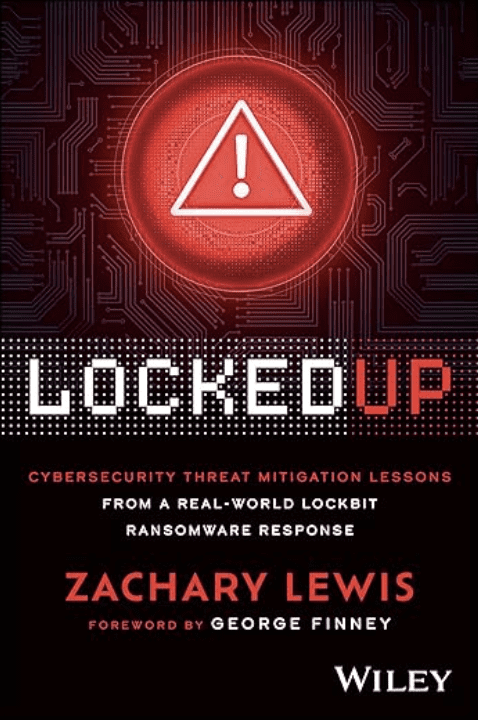
Today's guest is Zachary Lewis. As the CIO and CISO for Midwest University, Zach was named in the 40 Under 40 Business Leaders and Nonprofit CISO of the Year in St. Louis. He has attended the FBI CISO Academy, and his Wiley book, Locked Up, details this ransomware incident in detail. I'm your host, Chris Parker, and this is the Easy Prey Podcast.
Zach, thank you so much for coming on the podcast today.
Oh man, Chris, I'm very excited to be here. This is great.
I'm looking forward to this conversation. Can you give myself and the audience a little bit of background about who you are and what you do?
Yeah, so I'm the CIO and CISO for the University of Health Sciences and Pharmacy. I've worked there for about 10 years. I've been in higher education around that time, maybe a little bit longer. Then in a bunch of different industries from tech startups to coal and energy plants to co-location facilities consulting, kind of the works, the gambit that you say anymore. And a few years ago, we sort of had a ransomware incident at the university, and now I'm on this path of trying to tell the world about it, and what happened, and why it happened, and how we got through it, and just try to, I don't know, make the industry a little bit better, I guess.
I like it. Normally, I'd ask my guests, particularly those in cybersecurity, have you ever been a victim of a cybersecurity incident? Do you want to tell us about it? Because, if we can't get it right all the time, the audience shouldn't feel embarrassed, ashamed, or humiliated. But that's what this whole episode is. It's that story. So can you give an overview of the story, and then we'll start at the beginning and work through it.
Yeah, definitely. I like your point about trying to share that with people. When I go and give this presentation every now and then, I always have a slide that asks the audience, “Hey, raise your hand if you've had a cyber incident,” and no one raises their hand, but then I put a QR code to anonymously submit, and it's like 80% of the room.

So several years back, I joined the university in a capacity and realized that we didn't really have a security program. So I started building that program, and in the midst of building that program from the ground up, you know, getting tools, getting people, we were hit by a ransomware attack from LockBit, who 2022, 2023 were the most prolific ransomware group operating in the world. They managed to exfiltrate what they claim was a lot of data. 75 gigs is what the initial claim was, and that continued to arise throughout the ransomware incident. But, you know, being a small team, we had to activate what resources we could through insurance providers, bring in threat negotiators and forensics experts, and just kind of work through that.
And I think that at the time, you hear about ransomware, everyone at some point or another, probably runs into it in their career when they're in cyber. But in terms of resources where people just share information about what's going on, how did the threat actors get in? How does your team decide on whether or not we're going to pay the ransom or not? Can you even buy Bitcoin? Do you know where to buy Bitcoin? Conversations like that. I hadn't really seen anything about it.
And I'm going to fast forward through the incident, but get to the end where I start talking about that and taking it to people. There was a lot of questions around it, similar to the ones I just asked. I'm answering those, and people are like, “Wow, this is great.” We were getting cut off at conferences and having to move conversations off to the side because there was so much interest there that I thought, hey, maybe I had something. I needed to put this down into a book.
I wrote a book. It's coming out. We'll probably talk on that later. In that, I just lay out everything that we explored, went through, even emotionally felt, because we don't talk a lot about that either in the real world. I'll mark a shame in the industry about if you have a cyber incident that maybe you're not a great practitioner, we need to keep this hush-hush. Sometimes there's legal reasons for that, but I think if we can start normalizing that a little bit, sharing what happens. The threat actors are out there sharing what they're doing and who they're compromising. If we can get ahead of this, maybe we can bring attacks down. We're not seeing us being very good at preventing. We’re really good at responding and getting better at that. But those attacks just keep happening. So we got to try to figure out something new to do.
Surviving a Ransomware Attack Share on XI love the overview. So what was, you know, T0 for you? Was it a phone call at three in the morning, or did this happen when you were already in the office?
You're not far off. It was a phone call at about 4:30 in the morning. I remember it was April 13th, 4:30, and at the time, it was just a bunch of on-prem resources were not available. A couple of my team couldn't get to some things. We were dealing with a lot of end-of-life hardware at that time. It was in the middle of COVID. We're trying to source materials. If anyone remembers, it was really hard to get hardware. It was just a shortage everywhere. There was like blockades and ports and canals going on. We had COVID happening. It was just a nightmare.
So we had been waiting on some equipment to come in. We knew our on-prem equipment was very old and needed to be replaced. So we're thinking, “Oh man, this stuff has kind of crapped the bed and we need to get in there and restore it.” So assemble the team, we go in, we're thinking disaster recovery. We're working to get servers back up, hypervisors working, spent a couple days and actually managed to recover almost the entire university of backup and functioning. And this is probably where I'll tangentially add that we're a big SaaS campus as well. So we have a lot of SaaS resources and the primary resources our students and faculty use were SaaS-based. So they were able to still keep functioning, and most of the campus didn't know that on the back end, we were struggling and trying to pull everything back together.

So we bring the environment back up and the very next day it goes back down. And that's when we go in to try to do the next recovery process and see that everything's encrypted, we find a README note. And we think at that point, the threat actors thought we were onto them, even though we were just trying to do recovery, and they triggered ransomware and brought the whole environment down instead of trying to continue to exfiltrate data.
Oh, so that's interesting. So your initial window was not my gosh, this is a ransomware attack, but you just thought you had a hardware failure.
Yeah. And we ran on that premise for probably three or four days while we were recovering. And at that time, nothing was encrypted. I mean, we were able to bring back the hypervisors, the servers. The entire environment was stood back up. So during that time, nothing was encrypted. We think they were just in there moseying around, trying to grab some data, and something tripped to shut stuff down. Maybe they were going to set off ransomware and it was a little early and it brought it down or what, but we were able to bring everything back up. And then that's when the real ransomware hit.
To me, that's really interesting. I would've expected that the first notice would've been, oh gosh, everything's encrypted, clearly we know what happened, versus they stubbed their toe on the bed while sneaking through the apartment.
Yeah, it's pretty cool. There's a couple things that happened during this incident that I, and I think some of my counterparts either, so the FBI, thought were kind of interesting as we worked through it. But that was sort of the first one. We actually did figure out later through forensics that LockBit emailed 11 people in our university system, five of which, six of which were like service accounts that no one saw, but about five people got an e-mail saying, “Hey, we have your data. You're gonna need to pay us some money. There's a README file on your systems.” But you know, students or staff or somebody didn't think anything of it, no one even reported it. and it just flew under the radar. So we found that way later, and I was like, oh, okay, that would've been good to know, maybe.
If I were a student and I got that e-mail, I would've just been like, oh, it's a phishing attempt, just delete it.
Absolutely, and that's kind of what we thought, people just didn't care, and they just went about their day.
Before we talk about how you guys responded, do you know how they originally got into the network?
They managed to compromise an account, we think externally, through either someone's personal account or something like that. We weren't able to quite pin that down. But we do know that they compromised an account, and they came in through the VPN, actually, and then laterally moved through systems, escalated privileges by finding some cached credentials on a machine, and then ran shop.
Oh my goodness. So tell me about the response and how you guys responded to it. Clearly, you initially thought it was a system and started your restore process, which is kind of nice because you confirmed your restore process in theory work, did it?
Yeah, yeah, it did. It went really well. Our restore process went really well. And hey, good job, everybody. And then it goes down the next day again after we're back up and you're like, wow, when they say end-of-life equipment, they really mean end-of-life equipment, like, okay. So that day we go back into the system, we're poking around on the hypervisor. And this was, you know, at the time where encrypting at the root level of the hypervisor was like just taking off. That was the go-to method for ransomware because when you're encrypting at that hypervisor level where your servers run, there's no EDR, there's no antivirus, there's nothing running there to really detect that. So it was VMware at the time, which was the big attack vector of like 2013.
And we find a ransomware note there, README file, and it opens it up and it's telling us like, don't contact law enforcement, don't contact your cyber insurance, just pay us. And if you can't pay us, find a philanthropist like Elon Musk or someone who loves your company and will pay your ransom for you. And they did not want to do that. You know, Elon was not willing to pay a few million dollars for us. So we, at that point, we stopped our disaster recovery procedures. We activated incident response. I had to notify a bunch of the leadership team, come together on what the next steps were, which mostly reflected on what my incident response plan said, which was contact insurance.
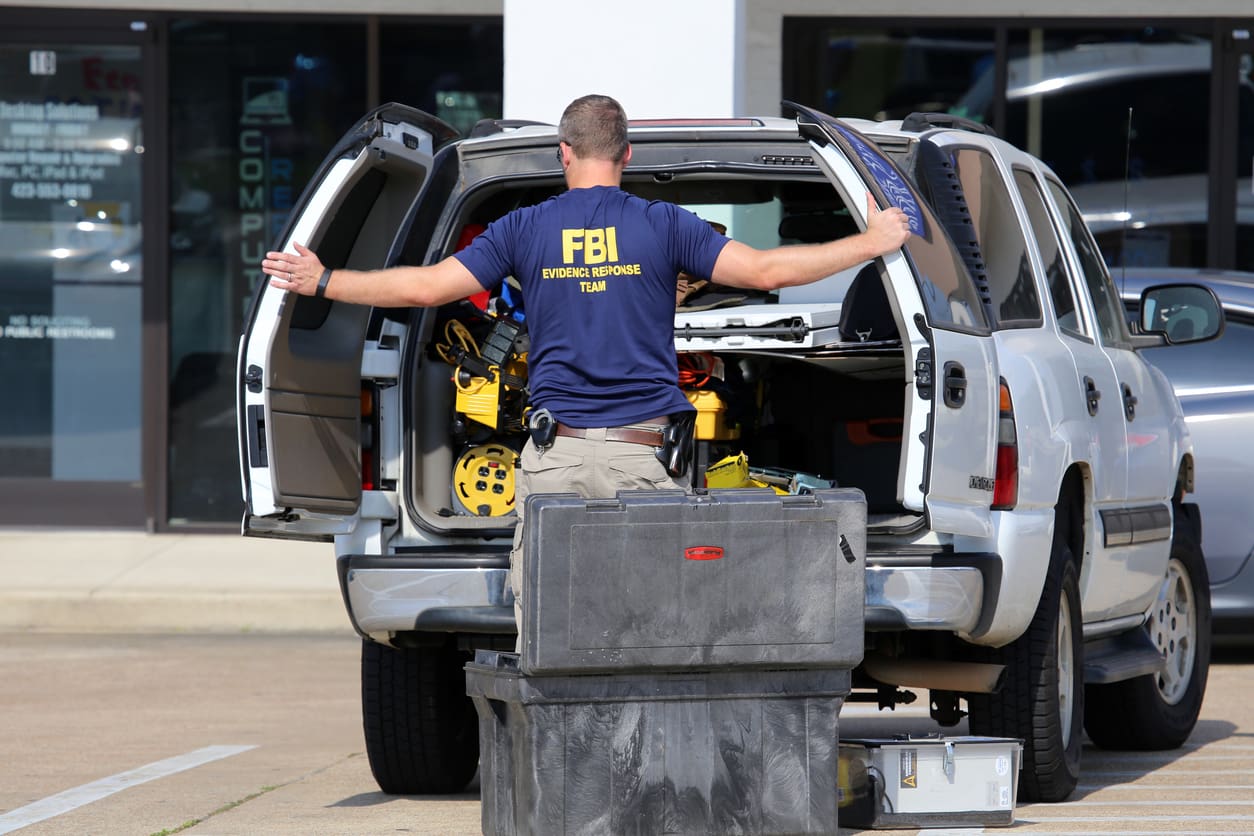
So my first call was to contact cyber insurance, saying, “Hey, we had a ransomware attack. I'm going to need some help.” And then I called CISA, FBI, did an IC3 report, said, “Hey, we've had a ransomware attack. I need some help.” And then I called my wife. I said, “Hey, we had a ransomware attack. I’ll be late. This might be a resume-generating event. So please stop buying things for a little bit while we sort this all out.”
I like that this might be a resume generating event.
I mean, it could be, right? We've seen that.
So like you were talking before, how did you feel at that moment when you realized that it was a ransomware attack and not end of life systems?
Man, when you find a README note in your systems from a ransomware group when you're having problems, that's about the worst feeling you can get. You just feel it in the stomach, like everything sort of slows down, and you're like, “This is gonna be bad.” I mean, it really is. I write a little bit about different things that we were feeling and experiencing in the book, but yeah, it's a really bad feeling. And then you've got to go and you've got to stand in front of the other executives and the board, and you're like,” Yeah, I know we've got a security program, and I'm sort of over that, but listen, the bad guys got in, and they have some of our stuff. Well, what do they have? We're not sure yet.” That's not a conversation you want to have, it's a pretty bad feeling.
And so how long did it take for kind of the initial response, not necessarily feet on the ground, but from like the FBI and the insurance company, how quick were they like, okay, we're going to have resources to you in this window?
Yeah. Insurance, we met the very next day with forensics experts, negotiators, outside counsel who had lots of cyber experience. I mean, they moved very fast, which was great. I think the FBI called within a couple of days. just wanting to know information. They sent over some files to fill out about who the threat actor was, wanting to see the README file, different sorts of information. We could give them e-mail addresses, IP addresses, things like that. Because at the time, we didn't know. They were obviously building a case about LockBit. And I'd like to think that some of the information we gave them helped, because we see just a few months after our attack rolling into 2024, they actually take down LockBit, which is pretty cool. We've seen some resurgence of them in the last few months. They were able to move on them and sort of capture decryption keys and some of the ransoms from different players out there and hopefully help some people.
CISA called right after that as well, and they were offering resources. We didn't take them up on any resources out of the gate because we were using the stuff from the insurance company and we were going to let them run, but they were there as a resource if we needed them. And I think regardless of whether anyone uses the FBI or CISA, I think it's great to at least notify them through an IC3 report about an attack if you have one. Because again, when the FBI did go in and take down LockBit, they were able to capture a lot of those decryption keys, and they reached back out to us almost a year later and were like, “Hey, we have these keys. Do you still need them for anything?” And I didn't need them a year later, but if someone had just been hit recently, that's a huge win for you. So obviously, if you make those reports, let them. They're there to help 100%.

So a question about the outside counsel. Was that something that the insurance company provided or that you had already arranged before the incident that you would have outside counsel in the case of a security incident?
Yeah, that was cyber insurance. We have a pretty good policy that gave us a lot of these resources in the event of an incident.
And so what were some of the deliberations you and the executive team had to make in terms of, Do we pay and not pay, or do we partially pay? What were the decisions around the payment, and what were the decision-making process around how much do we disclose to whom and when?
Yeah, so those are some of, obviously, the big questions. I think early on, we want to figure out what they have. What does the threat actor have? What's the ransom for? It's not just decrypting the systems, but they have data. They're claiming they have data. So what is that? So we pivoted with negotiators very quickly into trying to get file listings. We need to know what you guys have. We can verify what's in it. Is it sensitive? If it's not, then maybe we don't pay.
So that's kind of where the negotiators started was just hammering LockBit. LockBit gave us a link on the dark web to go to a forum chat site where we can talk and chat. You have a little key to identify yourself. Very great support, you know, like operating like a well-oiled machine over there. So we started negotiating there, trying to figure out what files we had. Meanwhile, we're looking like, all right, they say they have X amount of data. Where could that have come from? Like, all these systems are encrypted, but like, where did we have this stuff at? And trying to pin that down ourselves.
I think the biggest question that we deliberated on the longest was when to notify people. Are you gonna tell our students, our faculty and staff, sort of right away, next week, couple weeks, are we gonna wait 'til we have a better picture of what's going on? And there were two camps on that and deciding what we wanted to do. And we ended up deciding to wait a little longer because we had that flexibility to do that, but a reasonable amount of time as we gathered information so we could answer those questions and have a better idea of what was happening.
Do we pay the ransom or not? That all kind of stemmed back to what kind of data they had. Out of the get-go, we've always been of the mind to not pay the ransom. We were still operating. We didn't have to shut our doors. People were still taking classes, doing exams, teaching, things like that. So we knew from a business operational standpoint, we were good. The only question then became, do they have intellectual property? Do they have research information? Do they have student PII, what is it that they had? And that was going to really dictate if we were going to think about paying to get that data back or not.
Was that sort of the concern? Because you guys are in the health space, was there proprietary health information from either research or programs?
There could have been, depending on the systems that were compromised. We were very much into a move to the cloud sort of journey. So a lot of our servers were being moved out to the cloud. We were very SaaS platform-based, decommissioning a lot of old stuff. We had systems that were specialized in holding these types of data for research and grants, intellectual property, financial information, different stuff like that. And those that were SaaS, we knew those are okay, those are fine, but what are people keeping on some of these servers? And as we were decommissioning stuff, some of them were old file servers that faculty and staff had and researchers had and students had, it's like, well, what did they keep in there? We didn't have a picture of that. And we've since tried to remediate a lot of that after the fact, but at the time we just didn't know until we could get those file listings and match them up to paths in our network and figure out where that came from.

I mean, that is always a problem because even if you have good policy on how data is handled, that doesn't necessarily mean that employees and students actually followed the policy, so there might be PII in places that you wouldn't have expected or HIPAA data in places that you wouldn't have expected it to be.
Yeah, I mean, we even had people who used a lot of their shares for personal files, like, here's my tax returns, here's my house, stuff that I'm negotiating to buy a house with, different things that have been signed. You're like, all right, well, thank you. That really shouldn't be there, but can't do much about it now. And I wouldn't have known. We didn't have anything in place at the time that would've let us know that these personal files are there other than you have a policy that says don't do that, but people do that.
Yeah, but policies are great, but they're unlikely that they're gonna be followed 100% unless you know.
Have they been read?
Hopefully they've been read. So ultimately, what was the determination that you made on whether you guys paid or not?
Yeah, so we managed to get what LockBit said was about five to 10% of the file listings. They gave us a couple text documents that had all the file paths for a number of files. And they were claiming, again, 10% of the entire stuff they have. And they were like, “We have some really good stuff on you guys.” So we were looking at the file paths. We can't access most of these files, right? They're encrypted. So we're going off based on name and just trying to look like, do we think there's something sensitive in this file name? Like, where is it coming from? Oh, it's this personal share. Oh, it's this department share. And we got down to it where I think they did the drop data date on the dark web.
So for those that don't know, when a threat actor posts your data, they have usually a forum on the dark web. Typically, it has your name, a little bit about your company, your logo, and then it has a timer that ticks down until the drop data date. Our date was going to be sometime in June, like the 14th maybe, where they were going to drop all of our data. Again, this attack happened in April, so there's like a two-month window here. And we decided that we were not going to pay just based on the file listings. We go through 5% to 10%. We've moved a lot of stuff out to the cloud prior to this. We just couldn't figure out where all this data that they claim they had was coming from. Initial estimates said 75 gigs. They actually jumped up to 170. I think we almost got up to 300 that they were claiming in chat at one time that they had taken from us. And the team and I were like, “We don't know where this could come from.” We don't know where this much data would exist for them to exfiltrate that we wouldn't have seen. We have alarms for stuff like that. And I was like, “There's just nothing that says 300 gigs traversed out to Russia or wherever they were at at the time.” So we decided not to pay.
When the data dropped, they ended up having two and a half gigs. Those file listings we got were literally all the files they had, which is why they wouldn't give us any more. They'd given us all of them, they were bluffing through it, and I think the estimate was like 1.25 million or something is what they wanted for it. I was like, man, could you imagine paying 1.25 for two gigs of files? That ended up not having really anything in it. I think we parsed through all that. When the data dropped, we downloaded it from the dark web and parsed through it, and it was like four social security numbers and like a shot record for a student was the only thing in there. We had some grades and stuff, but in terms of things you really care about, like four socials. And they were from students who had graduated 5, 10, 15 years ago. It shouldn't have been there. Somebody just downloaded a file and it was in a share where it shouldn't have been.
But we reached out to them, talked to them through it, did the credit monitor thing, asked them for questions, gave them some recommendations. But I mean, in terms of a ransomware incident, if you have to run through one where you have exfiltration and compromise, this is about the best case outcome that you can ask for.
But still, a million dollars, if it was every student's social security number, I don't know how many students you have, but at that point, if there was HIPAA data, a million dollars might have been a reasonable – gosh, I hate to say this out loud – might have been a reasonable amount of money to spend.
And I talk about that when I give this presentation out places is like, 2 1/2 gigs, not that bad, but what's in that 2, yeah, what's in that 2 1/2 gigs? Is it some new vaccine that you're working on and that's going to make you millions and millions of dollars? You don't want that leaking. You got to weigh that out. Or is it the keys to your castle and you need that to operate?
Surviving a Ransomware Attack Share on XThere are times where, from a business decision, paying that ransom could be justified, even though you really, really don't want to. But we've seen universities close because of ransomware attacks. We've seen hospitals that have suffered ransomware attacks and people have passed or died from it. And it's serious. It's something you’ve really got to consider.
Yeah, I mean, you were fortunate in that you were able to continue to run your business while going through this, whereas lots of entities, they're down, the salespeople aren't working, no one's doing anything. And so not only do you not have income coming in, you still have all the expenses and everything screeches to a halt. That's got to be traumatizing.
Oh, I imagine, absolutely. And again, I mentioned earlier, we see attacks increasing year over year over year of ransomware. We're not any better at stopping them, so you're probably going to run into it.
Surviving a Ransomware Attack Share on XWe've managed to recover during that incident. Everything's going on, and we're talking, negotiating with the threat actors, figuring out what we're going to tell campus. We're still having to recover the environment that's encrypted, and you can't just wipe over that stuff. So that hardware that we were waiting for finally shows up, and it's like, stand this stuff up, get things restored.
A little story about that, it was kind of interesting for us and another sinking feeling, I guess, in terms of how you feel during a ransomware attack. But I guess when they came in and encrypted our environment, they did manage to find one of our backup locations, and they wiped out. It was our secondary. Our secondary location got completely wiped out.
We have a primary. And we run a tabletop exercise with our leadership team earlier in the year and with the IT team. So we were familiar with what we should do. We've done tabletops. We have this incident response plan. And something that doesn't come up a lot for us was, all right, you have a backup server, and it's our primary, and it's there, and you have to authenticate to it. Okay, Active Directory has been encrypted. It's down. It's with everything else. So you can't authenticate to AD. All right, well, we'll do a local recovery or local login. And we go to get like the local password and you're like, oh, we run a local password manager. It's also encrypted and down. And you're like, wow, my backups are right there. Literally just a username and password away. Can't get to them. They're still there, man.
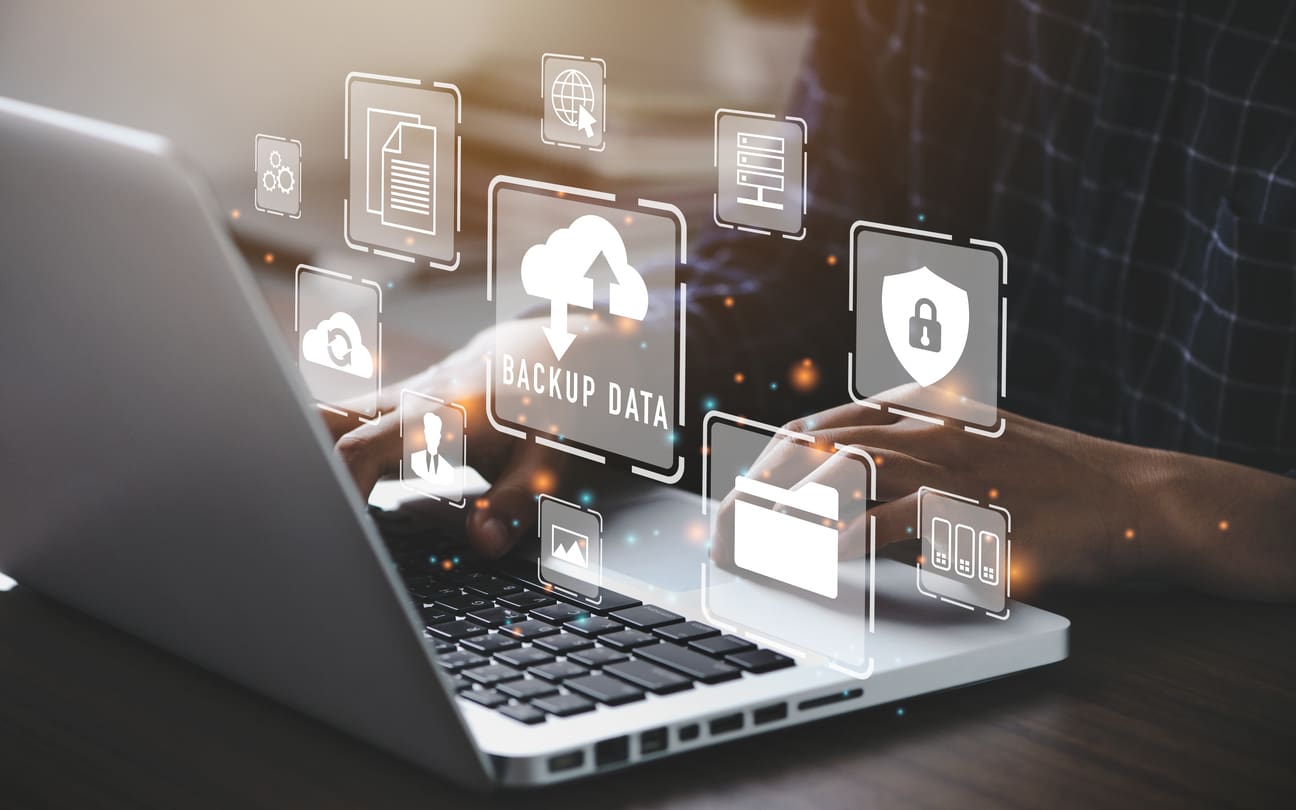
So did you guys also have offline backups?
Yeah, that's what saved us right there. So we had a tertiary, fully offline, fully separate from that. And I'll tell you, we even got lucky with that just because the password manager is down. It's encrypted and down. And just by happenstance, one of us happened to have the login for the cloud offline separate backup stored somewhere else, which, probably against policy, but it saved us in this one instance, right?
And man, I can't tell you when we got into that thing how good everybody felt, 'cause to have those…. We're working with our backup provider, and they're like, “We can't get in. There's no way.” We're trying registry, we're trying to change config files, anything to get in there. And they're not built like that, right? Because then the threat actors could do the same thing. Yeah, we finally got up. We actually didn't have hardware yet, but we restored our Active Directory environment to an eSport gaming machine, probably the most robust Active Directory server ever. This thing was blazing fast. But yeah.
Before we talk about the lessons, how long was the sleepless nights period for you?
We did the recovery and the recovery took a few days, and I was pretty much there the entire time for that. But once the ransomware, we knew it was ransomware. I think that first week, I didn't sleep hardly any at all. Just work weekends, like meeting with the insurance companies that they've provided with us, meeting with leadership. We had to create some out-of-band communication methods. So we were talking at all hours, at all times, just trying different stuff.
Then when we started doing the backup, and we ran into the backup problems that I mentioned, I was up many nights, and a couple of the team members were also up with me several of those nights, just working with them, working with different people, trying to get into these systems so we could recover. So there were definitely periods in there, chunks of time, where we were up pretty much all night working through stuff. Once, though, we started recovering, active directories backup, we're pulling down servers again, restoring them out to Azure, where we started doing stuff because of hardware constraints. I was able to sleep a little bit better at the time. Still not knowing what the data was or how much was out there, but at least knowing that things are operational, we are functioning like, okay, I'll breathe a little bit here. Let's see what happens on the back end of this.
Okay, so for the lessons learned, at what point did you actually notify people and how much did you disclose? I assume there are probably multiple steps of notification.
Yeah, so it was about a month, month and a week or something like that before we notified the campus. We had a pretty good picture of what was going on, minus what all data was in there. We couldn't tell everyone yet if they were hurt or compromised or whatever. It's very broad, but we knew the drop data date was coming, so LockBit let us know when the date was going to be, and we wanted to definitely make sure we got out before that. Because as soon as you hit the dark web forum page, there's people out there that scrape that data. We know this because right after it did hit, people start tweeting it, tagging us, the university's been compromised, they've been hit by LockBit, they have this data, and you wanna get in front of that, because that's when media starts coming and asking questions.
So we let our campus know, we did it around to faculty, staff, and students. We had to do alumni, we had to do a bunch of different things. So four or five different cultivated emails that went out, just letting people know what was going on, that more information would be forthcoming. You get a lot of questions back then, like, “What, mine's taken?” Well, we don't know yet. “What'd you keep? It should just be work data, right?”
Also what happens at that time is once sort of the body, the faculty, staff, employees know that there's been a ransomware attack, every problem that comes up, it comes from the ransomware attack. So like, “Oh, this file's gone on my computer. This is from the ransomware attack. You guys lost it.” It's like, no, not necessarily. Well, my keyboard's not working right. It's not ransomware. It's like, okay. Let's simmer down. I get it. We had a few people that came out and were like, “I'm missing money from my bank account. This is your fault.” It's like, no, that's not … need you to back that up. But yeah, so every problem that anyone had in their lives sort of started circling around the ransomware incident. So there was a lot of heat there for a while until things calmed down.
Did you bring in a PR company to help you manage kind of press inquiries and things like that, or did you guys handle that internally?
Yeah, we have a really robust marketing team that's pretty competent. They started working with some PR companies outside, structured stuff. I think some of those resources were also provided by the cyber insurance company as well. But yeah, we did work with that on just getting the voice right, getting the communication right, and different things like that.
So probably the one question that you may or may not want to answer, now that I think about it is, how much did it end up, how much do you think it actually ended up costing the institution?
Yeah, I think we probably spent close to $300,000 on everything. So you look at what your deductible is, which covers a lot of stuff, but when you're pulling team members off of projects, it was a pretty small group of people that we kept in the loop for a while, but you're pulling them off of stuff, the late hours, the work, we're kind of calculating all that up. You got your own internal council, you got leadership team meeting, and really focusing all this stuff, marketing people working, and we estimate probably around $300,000 was probably put towards that. We've been our best guess for a while.
Yeah, and it's kind of hard because how do you account for people's hours? Like, well, they would have been doing these other things.
Yeah. Some hardware we bought, some services we stood up, things like that. But again, insurance covered a lot of that. It's not gonna be true for everybody, so look at your own policy, know what's in it, because that's gonna be important if you're into one of these incidents. But there was some back-end stuff like building automation, light control, HVAC, things like that, that were down because of the incident that had to be rebuilt sort of from scratch. And insurance was able to get us a person in to help rebuild that and kind of cover it, which mitigated some of those costs for sure.
That's really cool. So what were some of the lessons learned?
So some of the big lessons learned, it's funny how sometimes these incidents happen. I don't think a lot of zero days cause these incidents. When you look at it, it's usually a misconfig, a compromised account, some social engineering, your basic stuff that you hear about. And I mentioned our hardware woes. So we had actually had to pivot firewall manufacturers a couple of times because we had gotten a faulty one from a manufacturer and it just did not work when we got it. And we were having business interruptions with internet prior to this attack happening.

So we did the only thing we could during COVID and supply chain to sort of get a stable internet connection, we did a co-managed solution with this other provider. And when we did that, we get it installed, the business is operating again and it's like, all right, we need to secure everything down. And they're like, “Well, because this is co-managed and we just rolled this out like a month ago, we actually don't have all the features sort of enabled yet, so we can't do MFA over VPN.” And I was like, “Oh, that's not great.”
I was thinking a compromised VPN account that 2FA should have been able to handle that.
Yeah, it would've, and that's why I talk about things lining up just right. That MFA had been on the VPN that wouldn't happen. We had a config that didn't get pulled over because we bounced through three firewalls and copying config, config, config. One of those didn't come through. If that config had been on the firewall, that would've stopped the kill chain. And so there's like two or three things that could've happened that would've prevented this, but everything just lined up just right and happened at just the right time for that to kind of come through.
And it's amazing, it was only there for maybe a couple of months, But the threat actors managed to find it in that amount of time. Like that small window, they found it, they got in, they compromised, and exfiltrated. This just kind of really shows how fast and how easy this is some of the time. But yeah, that's why we didn't have MFA on VPN. They came through on there and cached credentials on a machine, like whether it was current employees or past employees, someone had cached credentials on there to log into a server which had elevated permissions. They were able to scrape that right out and use that to pop right into the hypervisor and from there do what they needed to do.
So what were the lessons that you would tell other entities, “Here's where we made a mistake, here's what you need to do to prevent this from happening”?
Make sure you can get MFA on all your accounts, but aside from that, checking configs. I think we were so focused on getting our firewall. We had a rule that said you had to be in a group to have VPN access into our environment and there was only a handful of users that were in there. So when that config got copied and then removed and copied to another one, that config didn't come over. So that kind of left VPN open for everybody instead of this subgroup.
Surviving a Ransomware Attack Share on XWe were so focused on getting the business stable, getting internet stable so things could work and people would stop complaining that we didn't take the time after that was in to go back and validate everything. Build a little time into your projects to validate those configurations are in place. Really test them out and look at them. Don't just trust that the copy-paste worked or whatever. We really needed to check that, so that was a good lesson learned for us.
Incident response plan, have one that has really good detailed information in it. What servers you should restore first and in what order and where your critical data is and numbers for cyber insurance. We even went so far as to, I have a hard copy printed out now and it has like three or four of our key local login passwords. And we keep it in a safe. Like, Zach, you're putting passwords on paper? Yeah, I am, because I don't ever want to be in a situation again where I can't get that password to get in to recover. So while we have moved and changed sort of how we handle our password managers going forward, I still put a couple of those in an incident response plan and it's safe somewhere. But there's only a couple of us that have a password. I'm not too worried about that getting taken. I want to know.
So know how you recover. And even down to one of the things we ran through was, the backup server was compromised. So we had to stand up another backup server and connect it to the storage to pull the stuff. But like in the middle of that, it was, what's the key? We need to register the software. You don't think about that in your tabletop. Hey, you got to register this backup software. Go find that key. Where's that at? I don't know. Maybe in the e-mail. Maybe there's a file somewhere. We got to reach out to the company and get it. just takes time. It just puts more pressure on you, more stress. Think about that stuff. Have that saved somewhere that you can get to. So that was another one.
Out-of-band communication was big for us. So if you're compromised, the threat actors could be reading your emails, they could be reading your chats. So you need to be able to pivot with your team and outside team to an out-of-band communication that's not going to be read so they don't know what you're doing. But those are some of the big ones. Backups, backups, backups. Have lots of backups in lots of places.
I remember helping someone. It was not like a ransomware incident. It was something relatively trivial. They wanted some backup that was fairly… Someone had deleted a file and it was like, well, we know it existed in this backup somewhere in the past. And the backup server had crashed and the software needed to be reinstalled. And like you said, they had the key, but that particular version of the software was no longer being made, so they couldn't download it and reinstall it. It was like, well, we've got the backups, but we have no way to access them because we can't use the backup software anymore because the version isn't supported.
Yeah, that's rough. And again, it's right there, too. You're like, you're so close.
Luckily it was like, well, okay, fine. This is not a mission critical thing. We're just going to realize that we can't do it and we'll start our backup process all over again. But I've dealt with a couple other entities over the years where it came time that they needed to do the backup and no one knew how to actually run the backups or to restore the backups. And so it's like, we've got it all right there, but we can't touch it, sort of scenario again.
Yeah, we've made that a real point of the whole team, the whole security team and some of the network infrastructure team, they cross-train. We do quarterly backups now. You're going to follow the instructions that we have. Follow the instructions because stuff gets upgraded, it changes, it moves location. Make it validated and correct. You're going to do it, you're going to do it. Everyone's going to know how to do these because we don't want to run into where John's on vacation over here and Chris is home sick. I need someone here who can restore these things in the event of an emergency.
And so I assume all those instructions and your communication plan is all maintained outside of the system also, right?
Yeah, so we keep obviously files onsite in our file repository, but like both our DR plan and our incident response plan all have these things printed out in hard copy. We check, we have reminders every quarter to do the backups and if anything's changed, to update the hard copies, lots of checks for that stuff. I might not be able to always prevent ransomware, but I want to make sure I can recover any incident that pops up so that stuff's kept printed hard copy. We have multiple copies at a few different locations. We even keep one of them outside of the IT department with the Chief Operating Officer. Like, if for some reason IT just blows up, you guys still have a copy. Give it to an outside consultant to help you.
Surviving a Ransomware Attack Share on XSo did you, prior to this event, did you have printed out DR and incident response plans?
Yeah, we did. I had a little forethought on that.
Just a little. But like plenty of companies, it's like, oh , we have a disaster recovery. We have an incident response. Okay, where's it stored? Well, it's on the network. Well, what if the network goes down? Do you have an employee directory that you can call people and tell them, don't come into the office because the office isn't here?
Yeah, your call tree, like personal numbers, work numbers, e-mail. Mine has all that communication in it, like who the insurance provider is. If I need outside hands from some IT contractors we use, what's their number? Who do I call? We have a third-party stock, do you know their number? Do you know how to contact them? And if I'm not here, does the team know how to do it? But yeah, all that stuff, just numbers, systems, anything you can think of, just pretty much throw it in there. It's a big old meaty document, but man, it's super useful when you're in it.
Yeah, I can imagine those are the times you're like, I'm so glad I printed this out.
Yeah, and you're stressed, right? You're really stressed in that situation. So just being able to look at something that says, step one, do this. Step two, do that. Like, I don't have to think about this. Okay, this is just what I'm supposed to do. That really helps alleviate some of that stress and gets the ball moving, which is important.
There was an exercise I went through with a business coach, and this is a little bit of a tangent, but he talked about like, what I want you to do is go through all of your expenses and categorize them as like, the business can't function without these costs. I really want to have these, and what can you quickly eliminate if you need to be? But I want you to do this exercise now so that if you ever get to a point where something goes wrong with your business and you need to cut expenses quickly, that in that emotional moment, you don't have to think about it at the moment. That you have a list of, well, this is what I decided when my head was clear, what you should do, do that, as opposed to in the midst of drama.
Yeah, absolutely. That's great advice.
So if people want, so clearly there's a lot more to the story than what we've talked about here. What is the name of the book where you detail all of this?
Yeah, so the book, I have a copy, I have my author's copy now so I can show it. Look at that, Locked Up: Cybersecurity Threat Mitigation Lessons from a Real-World LockBit Ransomware Response. Very long title, but that is out for pre-order right now. It's wherever books are sold, so Barnes and Noble, Amazon, Target, Walmart, wherever you want to go. It'll be released on January 6th. There'll be an audiobook following shortly after that. But yeah, it's a great read, at least I thought. I wrote it, so I think it's a great read, but I hope you all do too. Grab a copy for sure.
Awesome. You've talked about this incident elsewhere as well, correct?
Yeah. I've recently been popping around across the country and actually over in Germany as well, but I've been all over the map just giving a little talk about what happened and trying to get people to share their stories more and be a little bit more collaborative.
Have you found that you were talking about you sharing the QR code and everyone's like, “Yeah, I've had an incident.” Have you had, as you've talked about it, have you had lots of people come up to you afterwards and said, “Yes, we had a similar incident,” or, “I'm so glad that you talked about this because I wasn't allowed to talk about it”?
Yeah, several times, actually. It was more common for people to want to share information. So there was a law that, or I guess a control that CISA had recently that expired, that protected companies from sort of antitrust information sharing, antitrust laws that protected from that happening when they shared information. Because this could be considered antitrust by sharing company secrets, what happened, what was being used and stuff like that. It's expired. So I think from a legal standpoint, people have gotten a little bit more skittish again. And that's really unfortunate because we were making some progress, I think.
But yeah, in private settings, people come over and be like, “Yeah, we had an incident. This is what we're working on.” I'm in a number of chats with people from locally and across the country, and we share stuff there too, or at least try to in sort of those out-of-band methods, just between CISO to CISO, or CIO to CISO, or whatever it might be. But we're trying to break down some walls. There's always lots of questions, though. I think people really like to hear about these events, but they like to talk about them too and just get that off their chest and spitball ideas and what's the best outcome that they can hope for and how to walk through it, and just get help because they know they're going to run into it eventually anyway.
It's good to have a resource of like, here's how someone else responded. Seemed to be a relatively successful response. Let's do what they did and try to hopefully have the same outcome.
Every incident is different, but yeah, hopefully you get an idea of what you should be thinking about, how you should be responding and why. And I give justification in the book about why we decided some things and why we didn't do on others. And hopefully that just paints a better picture, like where our head space was and why we made those decisions, so it helps you too.
Yeah, and like you said, everyone's gonna have a different decision tree on who gets notified when and how it's responded to.
Yeah, absolutely.
So if people want to connect with you, where can they find you?
I'm on LinkedIn, I'm all over LinkedIn. I'm very active there, so feel free to connect, send me a message. That's probably the best place. I have a website if you'd like to go there, homesteadingciso.com. Pop out there, see what I get going on. You can connect there and also get some resources for the book if you pre-order. But yeah, LinkedIn or homesteadingciso.com.
Awesome. Zach, thank you so much for coming on the podcast today.
Oh man, Chris, thanks for having me. I love talking about this sort of stuff.
Thank you for listening to this episode of the Easy Prey podcast. If you found something in this episode beneficial, please share it with someone you know and leave a review at easyprey.com/review. Notes and a transcript of this episode with Zachary Lewis can be found at easyprey.com/306.
This has been the Easy Prey Podcast, defending against scams, one episode at a time.